 Fujifilm X-E5 New Firmware and User Manual Released
Fujifilm has released firmware update v1.10 for the X-E5, their latest X-mount mirrorless camera (Check Timeline). Before this, they also made the downloadable user manual available. For those wondering what to do with these updates since the camera wasn’t in stock; good news, that’s recently changed (Also check: Fujifilm X100VI Now In Stock, Grab Yours Before They’re Gone!)
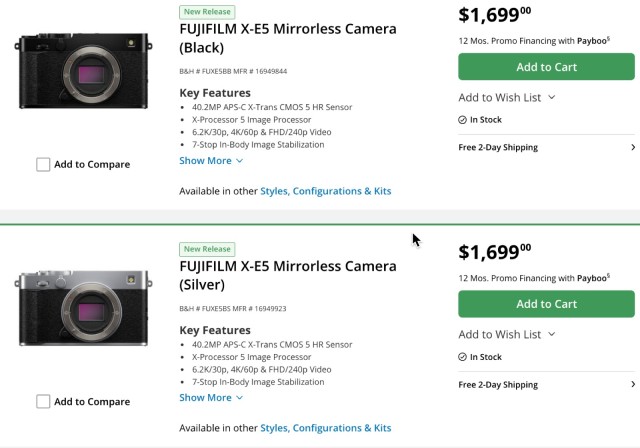 Fujifilm X-E5 is in stock both in Black and White finishes
You can check out the full firmware update details below. And if you’d like to support Camera Decision, consider purchasing through our links. It won’t cost you anything extra, but it helps keep us afloat.
X-E5 Firmware, New Features Guide, and User Manual Download Links
Detail of the firmware update
The firmware update Ver.1.10 from Ver.1.00 incorporates the following issues:
< Important notice after firmware update >
* After the firmware update, you cannot connect the camera to the iOS version of FUJIFILM Camera Remote. Be sure to upgrade your smartphone or tablet to iOS13 or later and use FUJIFILM XApp instead of Camera Remote.
* After the firmware update, you cannot use the FUJIFILM Camera Remote (Android version) to connect with the camera through Bluetooth: Ver.4.1 and earlier. To pair via Bluetooth, smartphone/tablet must be Bluetooth Ver. 4.2 and latter.
Regarding the details of No.1 download the “X-E5 New Features Guide[Ver.1.10]” from our website.
・X-E5 New Features Guide: English, Français, Deutsch, Español, Italiano, Nederland, Polski, Svenska, Norsk, Dansk, Pусский, Suomi, 中文简, 中文繁體, 한국어, ภาษาไทย, Arabic
-
The wireless communication security is enhanced while camera is connecting with a smartphone application or external device wirelessly.
After updating the firmware, security will be enhanced, so the connection procedure with the smartphone application will be changed, or the “WIRELESS COMMUNICATION” setting menu on the camera will be deleted (see section, below for details).
< Changes after firmware update >
1) The procedure for pairing the camera with a smartphone is changed.
2) “WIRELESS COMMUNICATION” option in the “SHOOTING SETTING”, “MOVIE SETTING”, and “PLAY BACK MENU” are removed.
3) “WIRELESS COMMUNICATION” option is removed from the functions assigned by the following operation flow in the “Setup Menu”.
・Operation flow: “BUTTON/DIAL SETTING” ➔ “FUNCTION (Fn) SETTING”
4) “WIRELESS COMMUNICATION” option is removed from the functions assigned by the following operation flow in the “Setup Menu”.
・Operation flow: “BUTTON/DIAL SETTING” ➔ “POWER ZOOM LENS FUNCTION (Fn) SETTING”
5) “WIRELESS COMMUNICATION” option is removed from the “Fn1 BUTTON SETTING” menu in the BUTTON/DIAL SETTING” of the “Setup Menu”.
6) The instax printer SQUARE Link™ is supported so you can connect your camera with instax printer SQUARE Link™ and print images.
< Precautions After Firmware Update >
1) Network security level is improved by updating your smartphone app (FUJIFILM XApp and FUJIFILM Camera Remote) and compatible cameras and instax™ printers (mini Link3, SQUARE Link, Link WIDE) to the latest version, since the latest versions change the network setting menus and connecting procedures to enhance the wireless communication security.
Be aware that the security level remains unchanged in the following case.
* In case that the camera’s firmware is the current version, and the smartphone application (FUJIFILM XApp or FUJIFILM Camera Remote) is the latest version.
* In case that the instax™ printer (mini Link3/SQUARE Link/Link WIDE) is the current version.
2) After updating the camera firmware, if the smartphone application (FUJIFILM XApp or FUJIFILM Camera Remote) is not updated to the latest version, you cannot connect to the camera. Be sure to upgrade your smartphone application software to the latest version.
Here you can find the Top 10 most popular alternatives of the X-E5 among our readers as well as links to their detailed comparisons:
Top 10 Fujifilm X-E5 Competitors
