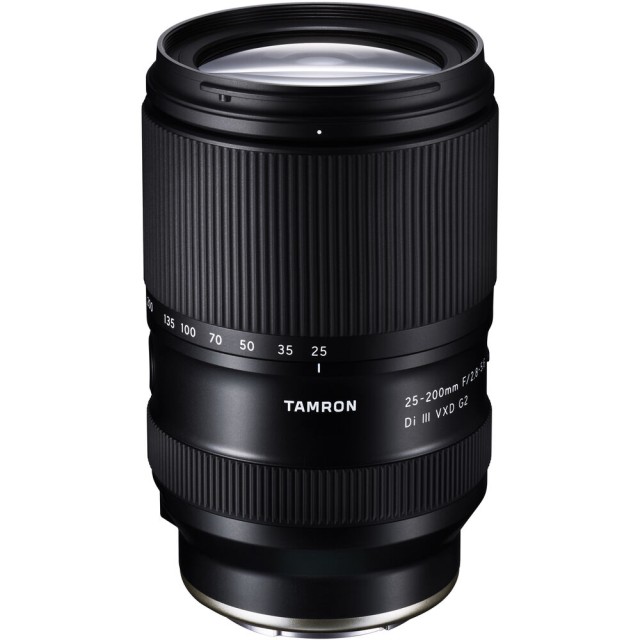
 Tamron 25-200mm f2.8-5.6 Di III VXD G2 is a 8x SuperZoom for Sony E-Mount Cameras
Good news if you shoot Sony E-mount and own Tamron's big-range zoom. Tamron just pushed a Ver. 3 firmware update for the Tamron 25-200mm f2.8-5.6 Di III VXD G2, and this one is a little more interesting than the usual bug-fix housekeeping. It actually improves the maximum magnification, so you get closer-focusing, near-macro reach without spending a dime.
 Before and After the Update - Image Tamron
That is the kind of update I like. A firmware file that meaningfully changes what the lens can do in the field, not just a stability tweak.
Tamron 25-200mm f2.8-5.6 Di Key Specs
- 25-200mm Focal Range
- F2.8-5.6 Max Aperture
- Weather-sealed
- Filter Thread: 67mm
- Max Format: 35mm FF
- Sony E Mount
- 18 Elements in 14 Groups
- Aspherical, hybrid aspherical, extra-low dispersion, low-dispersion elements , BBAR coating
- 9-blade Diaphragm
- Weight: 575g
- Diameter x Length: 76mm x 122
- Min Focus Distance: 0.16m
- Max Magnification: 0.52x
- Read the Review
- Check Price at: Amazon, B&H Photo
What Ver. 3 Changes
The whole point of this release is magnification, and Tamron split the gains across the range:
- At 25-70mm, maximum magnification is now 1:2 (half-macro) or greater.
- At 35-50mm, it climbs to 1:1.7, which is past half-macro territory.
For an all-in-one travel zoom that already covers 25mm wide to 200mm tele, getting genuine close-up ability baked in is a real bonus. Think flowers, food, product detail, textures, the odd bug or dragonfly when you are out with the longer glass anyway. It will not replace a dedicated macro lens for 1:1 work, but 1:1.7 is close enough to change how often you reach for this thing.
 Tamron 25-200mm f2.8-5.6 Di vs Sony FE 24-240mm F3.5-6.3 OSS vs Sigma 20-200mm F3.5-6.3 vs Tamron 28-200mm F2.8-5.6 Di III
Also read: New Tamron 25-200mm vs Sony 24-240mm vs Sigma 20-200mm vs Tamron 28-200mm Size and Specs Comparison
How to Install
The update runs through the TAMRON Lens Utility, so you connect the lens to your computer and flash it there rather than doing it in-camera. Grab the Ver. 3 file from Tamron's support page for this lens before you start.
Official Firmware Update Page
Should You Update?
Yes. There is basically no downside here. It is free, it is quick, and it hands you extra close-focus capability you did not have yesterday. If you own this lens, do it.
Quick reminder for the flash: make sure your laptop is charged or plugged in, keep the lens connected, and do not yank the cable or close the utility mid-update. Firmware updates are simple until they get interrupted.
