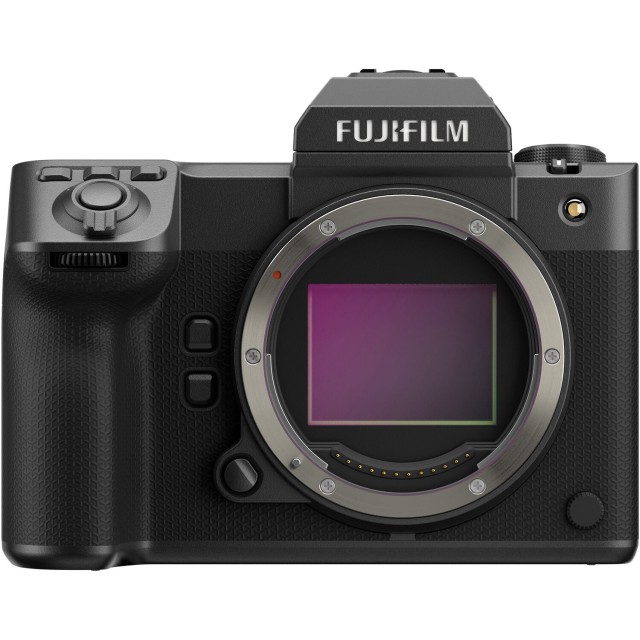
 Fujifilm GFX 100 II Firmware Update ver.2.40 Released
Fujifilm released the firmware update v2.40 for its flagship medium format camera -the GFX 100 II- which incorporates the changes and improvements below.
Fujifilm GFX100II ver.2.40 – DOWNLOAD
The firmware update Ver.2.40 from Ver.2.30 incorporates the following issues:
- The wireless communication security is enhanced while camera is connecting with a smartphone application or external device wirelessly.After updating the firmware, security will be enhanced, so the connection procedure with the smartphone application will be changed, or the “WIRELESS COMMUNICATION” setting menu on the camera will be deleted (see section, below for details).< Changes after firmware update >
1) The procedure for pairing the camera with a smartphone is changed.
2) “WIRELESS COMMUNICATION” option in the “SHOOTING SETTING”, “MOVIE SETTING”, and “PLAY BACK MENU” are removed.
3) “WIRELESS COMMUNICATION” option is removed from the functions assigned by the following operation flow in the “Setup Menu”.
・Operation flow: “BUTTON/DIAL SETTING” ➔ “FUNCTION (Fn) SETTING”
4) “WIRELESS COMMUNICATION” option is removed from the “Fn1 BUTTON SETTING” menu in the BUTTON/DIAL SETTING” of the “Setup” menu.
5) “instax PRINTER CONNECTION SETTING” menu is removed from the “NETWORK/USB SETTING” of the “Setup Menu”.
6) “instax PRINTER PRINT” option is removed from the “PLAY BACK MENU”.
< Precautions After Firmware Update >
1) Network security level is improved by updating to the latest versions for both the smartphone applications (FUJIFILM XApp / FUJIFILM Camera Remote) and connected cameras, since the latest versions change the network setting menus and connecting procedures to enhance the wireless communication security.
Be aware that the security level remains unchanged in the following case.
・In case that the camera’s firmware is the current version, and the smartphone application (FUJIFILM XApp or FUJIFILM Camera Remote) is the latest version.
2) After updating the camera firmware, if the smartphone application (FUJIFILM XApp or FUJIFILM Camera Remote) is not updated to the latest version, you cannot connect to the camera.
Be sure to upgrade your smartphone application software to the latest version.
3) After updating the firmware, the settings menu related to “WIRELESS COMMUNICATION” on the camera will be deleted, so the settings of the “SELECT CONNECTION SETTING” in the “NETWORK/USB SETTING” will be reset to “1: UNIVERSAL SETTING”.
Be sure to reconfigure settings according to the external devices you are connecting to (Frame.io, FTP servers, etc.).
4) After updating the firmware, you will no longer be able to print images taken with a digital camera directly from the instax™ SHARE SP-1/2/3. When printing images using instax™ SHARE SP-1/2/3, please use the smartphone application (FUJIFLM XApp or FUJIFILM Camera Remote) to import images and print from the dedicated instax™ printer application.
Fujifilm GFX 100 II Key Specs
- Announcement Date: 2023-09-12
- 102MP - Medium format BSI-CMOS Sensor
- ISO 80 - 12800 ( expands to 40 - 102400)
- Fujifilm G Mount
- Sensor-shift Image Stabilization( Up to 8.0-stops)
- 3.20" Tilting Screen
- 9440k dot Electronic viewfinder
- 8.0fps continuous shooting
- 8K - 8192 x 4320 video resolution
- 120fps High-Speed Video
- Built-in Wireless
- 1030g. 152 x 117 x 99 mm
- Weather-sealed Body
- Replaced Fujifilm GFX 100 Compare
- Read the Review
- Check Price at: Amazon, B&H Photo
