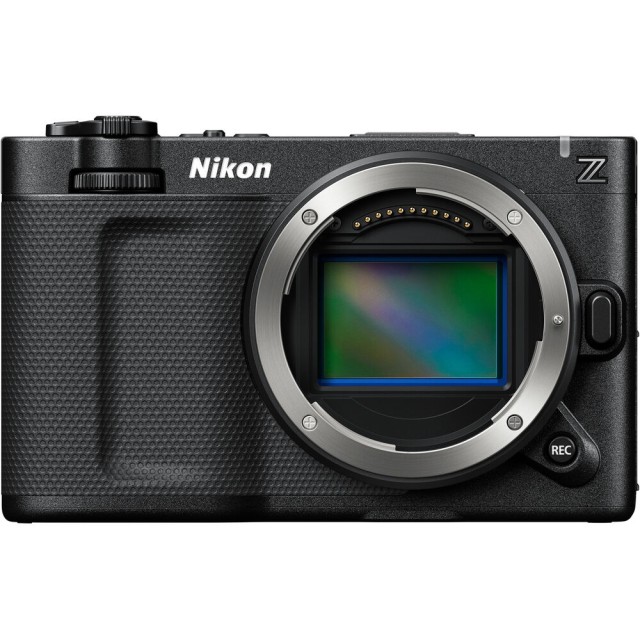
 Nikon ZR 6K Cinema Camera gets its first Major Firmware Update
Nikon has released the first major firmware update for its video-centric ZR camera, and while version 1.10 might sound like a minor point release, it brings several heavy-hitting features for cinema professionals. This update specifically targets long-form recording and multi-camera synchronization, refining the camera’s role in professional production environments.
Massive Boost to Recording Limits
The headline feature is a significant extension of continuous recording times. Previously capped at 125 minutes, the Nikon ZR can now record for up to 360 minutes (six hours) in formats like ProRes 422 HQ, H.265, and H.264. This makes the camera a much more viable tool for capturing full-length events, long-form interviews, or documentaries where cutting the roll is not an option. Keep in mind that reaching these times will likely require an external power source to outlast the internal battery.
Nikon ZR Key Specs
- Announcement Date: 2025-09-10
- 25MP - Full frame Partially-Stacked CMOS Sensor
- ISO 100 - 64000 ( expands to 50 - 204800)
- Nikon Z Mount
- Sensor-shift Image Stabilization( Up to 7.0-stops)
- 4.00" Fully Articulated Screen
- 20.0fps (20.0fps Electronic) continuous shooting
- 6K - 6000 x 3000 video resolution
- 240fps High-Speed Video
- Built-in Wireless
- 630g. 133 x 81 x 49 mm
- Weather-sealed Body
- Read the Review
- Check Price at: Amazon, B&H Photo
Pro-Grade Sync and File Management
Nikon is also streamlining how the ZR plays with others on set. The update adds support for wired timecode synchronization through the microphone/line input jack. This allows for a more stable "jam sync" connection compared to Bluetooth, which is vital when working with dedicated audio recorders or multi-camera setups.
 Nikon ZR with RED Color Science
Furthermore, Nikon has adopted a RED-style file-naming convention. This change helps prevent duplicate file names across different cards and cameras, making the post-production ingest process much smoother for editors handling large volumes of footage.
Better Exposure Tools and Usability
On the monitoring side, the ZR now includes a clipping warning line in the histogram and waveform displays. This line adjusts based on your ISO when shooting in RED RAW (R3D NE) with Log3G10, giving shooters a precise visual cue of when they are about to lose highlight detail.
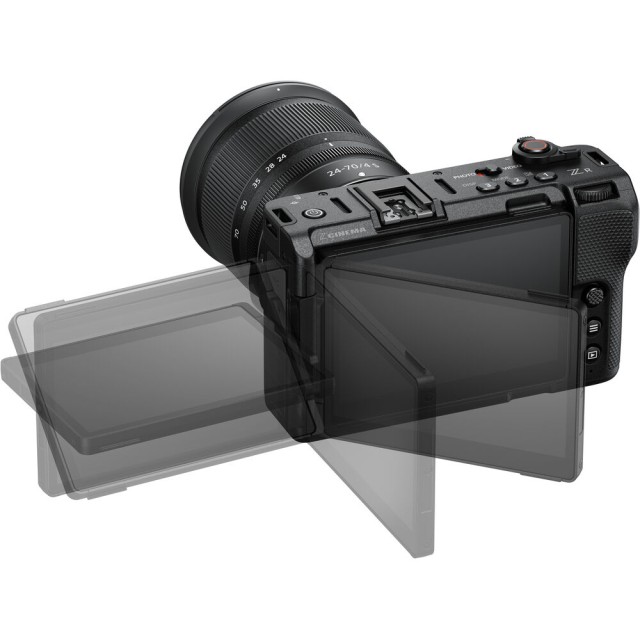 Nikon ZR 4-inch Folding Display
Other small but thoughtful additions include a power-on lamp energy saver mode and the ability to view up to 50 LUTs when importing CUBE files.
Availability
Firmware version 1.10 is available now as a free download from the Nikon Download Center.
Press release:
NIKON RELEASES FIRST FIRMWARE (V1.10) FOR THE NIKON ZR CINEMA CAMERA
MELVILLE, NY (January 26, 2026) - Nikon Inc. is pleased to announce the first firmware update for the recently released Nikon ZR full-frame cinema camera. Version 1.10 is available now and adds an assortment of functional enhancements and features to benefit a wide range of videographers.
Firmware version 1.10 supports timecode input over a wired connection, making it easier to synchronize with audio recording devices and other cameras. The update also significantly extends the maximum recording time, making continuous shooting possible even for long recording sessions. In addition, a file-naming convention similar to that of RED cameras has been adopted, enabling more efficient data management, especially when shooting with multiple cameras. A number of features that enhance usability have also been added, including a function that displays a warning line indicating the maximum brightness level in the brightness information display (histogram and waveform monitor) when recording R3D NE videos in Log3G10, as well as a setting to prevent unintentional battery drain.
Nikon will continue to enhance its products through firmware updates that address user needs, while also contributing to the development of imaging culture in the field of cinema.
Enhanced Multi-Camera Production and Workflow Features
In addition to conventional timecode synchronization over a Bluetooth connection, the camera now supports a simpler and more reliable wired connection that enables timecode synchronization with external devices connected to the camera via the external microphone/line input connector. Timecode synchronization is simplified, as Bluetooth pairing is not required. Once initially synchronized, the timecode remains running even after disconnecting the generator (jam sync), eliminating the need to re-synchronize.
In addition, a file-naming function similar to that of RED cameras has been implemented to enhance production workflows. This feature prevents duplicate video file names, and makes managing large numbers of files from multiple cameras much more efficient with video-specific file names and the display of file names on the live view screen.
Significantly Extended Recording Time
The maximum recording times for continuous recording have been significantly extended from 125 minutes to up to 360 minutes (6 hours)1. This enables long takes and shooting at events that require extended recording, such as interviews, concerts, documentaries and special events. This extended recording time applies to ProRes 422 HQ, H.265 and H.264 formats at various frame rates.
Improved Exposure Monitoring
Firmware version 1.10 offers users a function that displays a warning line indicating the maximum brightness level in the histogram or waveform monitor to avoid unintentional clipping. This indicator line varies according to ISO sensitivity when recording R3D NE videos in Log3G10, making exposure easier to control.
Additional Enhancements
A [Power-on lamp energy saver] option has been added to the setup menu, allowing users to choose an option that keeps the power-on lamp lit at all times when the camera is powered on. This allows users to check whether the camera is on or off at a glance, even when the monitor is closed, helping to prevent unintentional drain on the battery while carrying or transporting the camera. In addition, [Video file type] can now be set to [R3D NE 12-bit (R3D)] in the video recording menu even if the shooting mode is set to AUTO.
Furthermore, the number of LUTs that can be viewed while importing from a memory card using Custom Setting [3D LUT] > [Import CUBE file] has been increased from 10 to a maximum of 50. This allows users to have greater variety when choosing the LUT that will best match the intended final look from a broader range of options while on location.
Availability
Starting today, ZR owners can visit the Nikon download center to get the new firmware for free.
For more information about the latest Nikon products, including the vast collection of NIKKOR Z lenses and the entire line of Z series cameras, please visit nikonusa.com.
Specifications, equipment, and release dates are subject to change without any notice or obligation on the part of the manufacturer.
*SRP (Suggested Retail Price) listed only as a suggestion. Actual prices are set by dealers and are subject to change at any time.
1.When [ProRes 422 HQ 10-bit (MOV)] (except 119.88p or 100p), [H.265 10-bit (MOV)] (except 239.76p–100p), [H.265 8-bit (MOV)] (except 239.76p–100p), or [H.264 8-bit (MP4)] (except when recording slow-motion videos), at 25°C/77°F with [High] selected for [Auto temperature cutout]. Use of an external power source such as a portable battery is required.
