 Adobe Premiere Launches on iPhone Free
Adobe just dropped a surprise: Premiere is now on iPhone for free, and you don’t even need to log in to an Adobe account. That’s a big shift from how Adobe usually does things. An Android version is already in development, so mobile creators on both sides will get in on it soon.
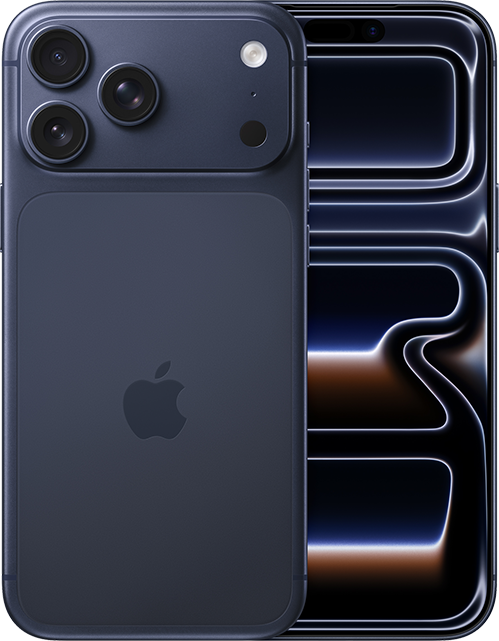 iPhone 17 Pro Max is your best bet for video editing with its 6.9-inch Screen
If you are used to cutting on a desktop with dual monitors, a phone screen can feel tight and limiting. But we can’t ignore the massive wave of creators, especially younger users, who shoot, edit, and publish straight from their phones. Adobe clearly wants to meet them where they are with a streamlined mobile Premiere that fits right into a shoot-edit-post workflow.
Adobe Premiere app on iPhone is now available for download in the App Store.
Adobe Premiere for iPhone Version Features
LIGHTNING-FAST TIMELINE
• Frame-Accurate Edits: Trim, split, or merge video clips with the industry’s most accurate video editor.
• AI Auto Captions: generate captions and add attention grabbing animations in seconds.
• Smooth Speed Effects: speed up, slow down, reverse or freeze key moments.
• Unique Color Presets: Apply Adobe Lightroom presets and fine tune to fit your aesthetic.
• Instant Background Removal: Cut out subjects with one tap. Create overlays, title effects, and more.
PRECISION CONTROL
• Unlimited Tracks: Overlay clips and organize your timeline with no limits to your creativity.
• Resize and Post to Any Platform: Adjust videos to fit any aspect ratio and share anywhere easily.
• Advanced Clip Controls: Flip, fit, fill, or extract audio to customize every cut.
STUDIO QUALITY SOUND
• AI Enhance Speech: Create studio quality voiceovers with the help of AI.
• DIY Sound Effects: Use your voice to generate your own sounds.
GENERATIVE AI ASSETS
• AI Text to Image Generation: create unique, commercially safe images from a simple text prompt with Adobe Firefly.
• Stickers That Pop: Generate your own AI stickers or select from the free in-app library.
• AI Background Expansion: Extend, enhance, or replace backgrounds with a prompt.
FREE LIBRARY OF CREATIVE ASSETS
• Get going with quality images, sounds, music, and video from the Adobe library.
• Add Music to Your Videos: Select from a library of free and royalty free tracks.
• Fonts for Any Style: Access free Adobe Fonts to match your creative vision.
• Respects Creator Content Ownership: Adobe never trains on user content.
SPEED AND PERFORMANCE
• Built natively on iOS for a fast, smooth, editing experience.
• Import your assets directly from your device or favorite cloud storage provider.
• Edit without distracting pop-up ads, clutter, or watermarks.
